


Why Restaurant Reviews Matter in 2025 (and 2026!)
In today's digital landscape, online reviews are the new word-of-mouth - and they are critical to your restaurant's success.
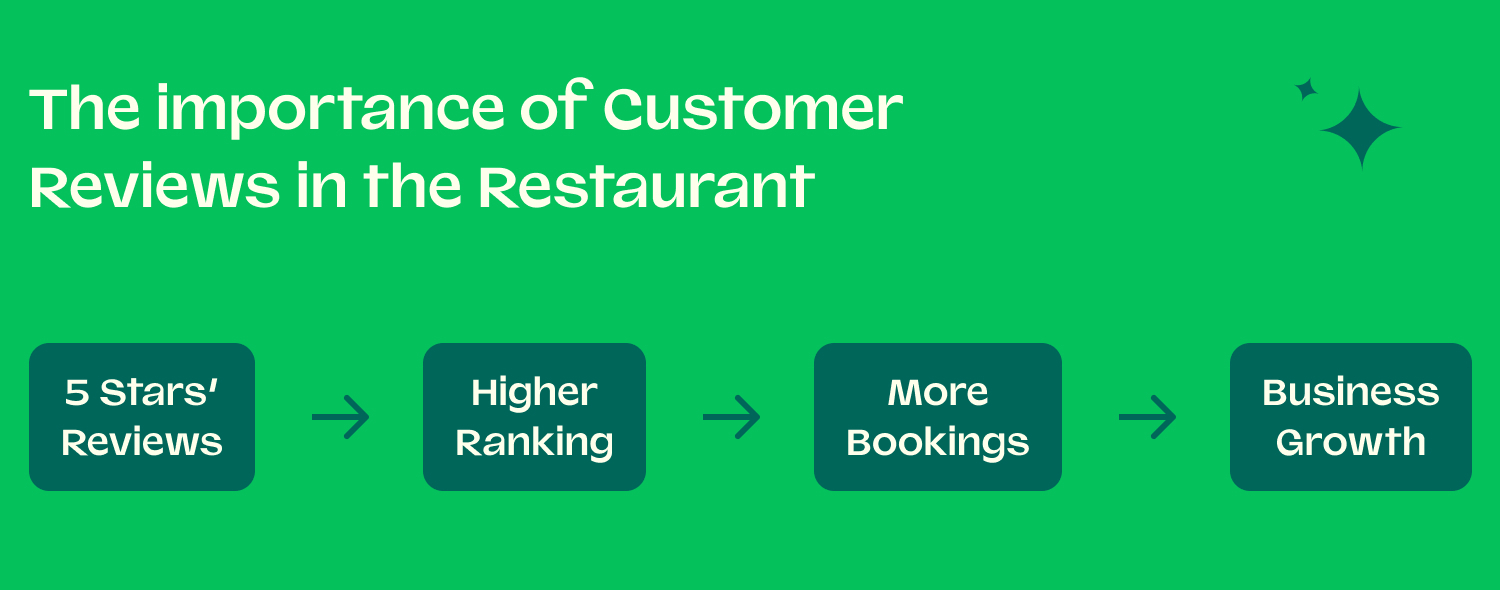
A steady stream of recent, positive feedback does more than just make you look good; it's a powerful engine for growth. According to BrightLocal, a staggering 98% of consumers use the internet to find information about local businesses.
A strong review profile directly impacts your visibility, credibility, and ultimately, your bookings.
📈 SEO and Visibility: Google’s algorithm rewards businesses with frequent, positive reviews, pushing you higher in local search results and on Google Maps.
🤝 Credibility and Trust: Reviews act as powerful social proof. Potential customers trust the unbiased opinions of fellow diners far more than traditional advertising.
💸 Conversion and Bookings: A higher star rating and positive comments give diners the confidence to make a reservation, directly converting online interest into footfall.
🗣️ Operational Feedback: Reviews provide invaluable, free feedback on your food, service, and ambience, helping you identify what you're doing right and where you can improve.
12 Proven Strategies to Get Restaurant Reviews (With Examples)
1. Ask for Reviews at the Right Moment (Timing Strategy)
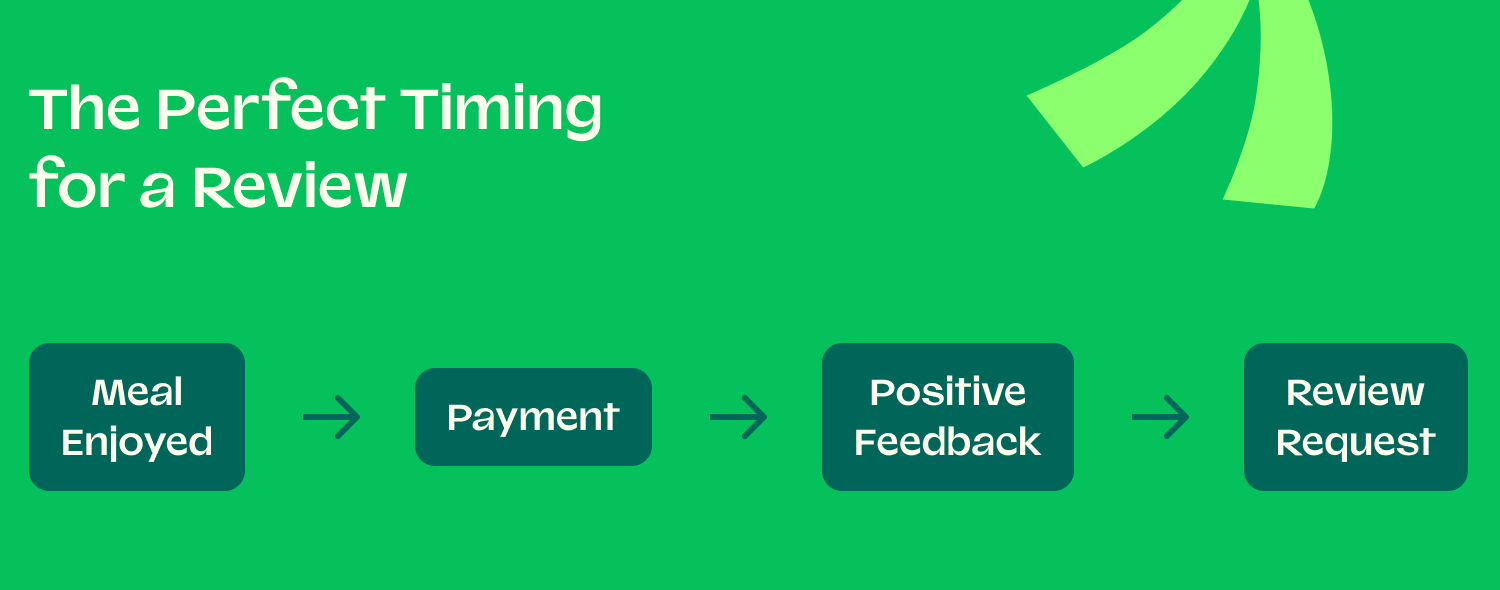
The key to a successful in-person request is timing. The perfect moment is typically after the customer has paid and has expressed clear satisfaction with their meal.
Asking too early feels pushy, and asking too late means the positive feeling may have faded. Train your team to identify this "golden window" to make the request feel natural and welcome.
- Example Script: "I'm so glad to hear you enjoyed the sea bass tonight! It would mean a lot to our team if you'd be willing to share your experience in a quick review on Google. It really helps other diners find us."
- Steps to Implement:
- Train staff to listen for positive verbal cues from guests (e.g., "That was delicious!").
- Define the ideal moment in your service flow—usually as you are returning their change or card.
- Provide staff with simple, non-pushy phrasing to use.
- Empower staff to use their judgement and only ask when the guest seems genuinely happy.
|
✨Our Pro Tip✨ |
|---|
|
Make it personal. Instead of a generic "leave us a review," try mentioning a specific dish they enjoyed. This shows you were listening and makes the request feel more authentic. |
2. Use QR Codes on Tables or Receipts
Make it incredibly easy for customers to leave a review by removing all friction. A QR code is the perfect tool for this.
When a happy diner scans the code with their phone, they can be taken directly to your preferred review page (e.g., Google, TheFork, TripAdvisor), eliminating the need for them to search for your profile manually.
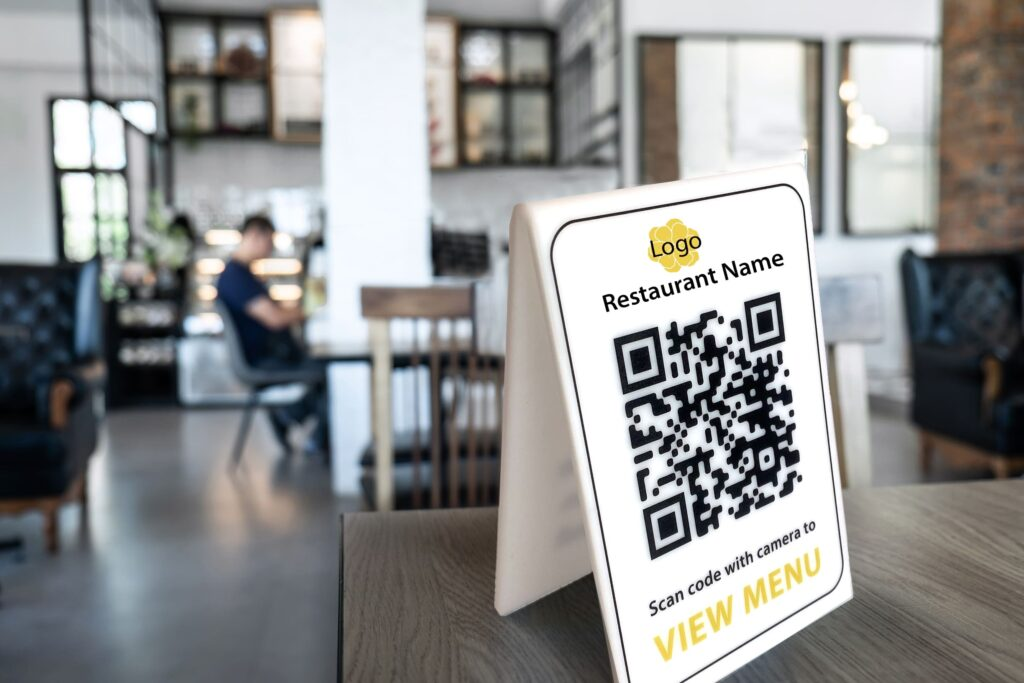
- Example Template Text: "Loved your meal? Share the love! Scan the QR code to leave us a quick review. Your feedback helps us grow and helps other foodies find us. Thank you!"
- Steps to Implement:
- Generate a free QR code that links directly to your Google or TheFork review submission page.
- Design a simple, well-branded table tent, menu insert, or flyer that includes the QR code.
- Place the QR codes in highly visible locations, such as on every table or printed at the bottom of the bill.
- Brief your staff to point out the QR code when a customer expresses satisfaction.
|
✨Our Pro Tip✨ |
|---|
|
Use a trackable QR code. Services like Bitly allow you to create a short link for your QR code, so you can track exactly how many people are scanning it, giving you data on its effectiveness. |
3. Automate Post-Visit Review Requests
Automation is your most powerful and consistent tool for generating reviews.
An automated email or SMS sent a few hours after a guest's meal is perfectly timed, highly effective, and requires no ongoing effort from your team. This ensures every single diner who books online gets a polite prompt to share their feedback.
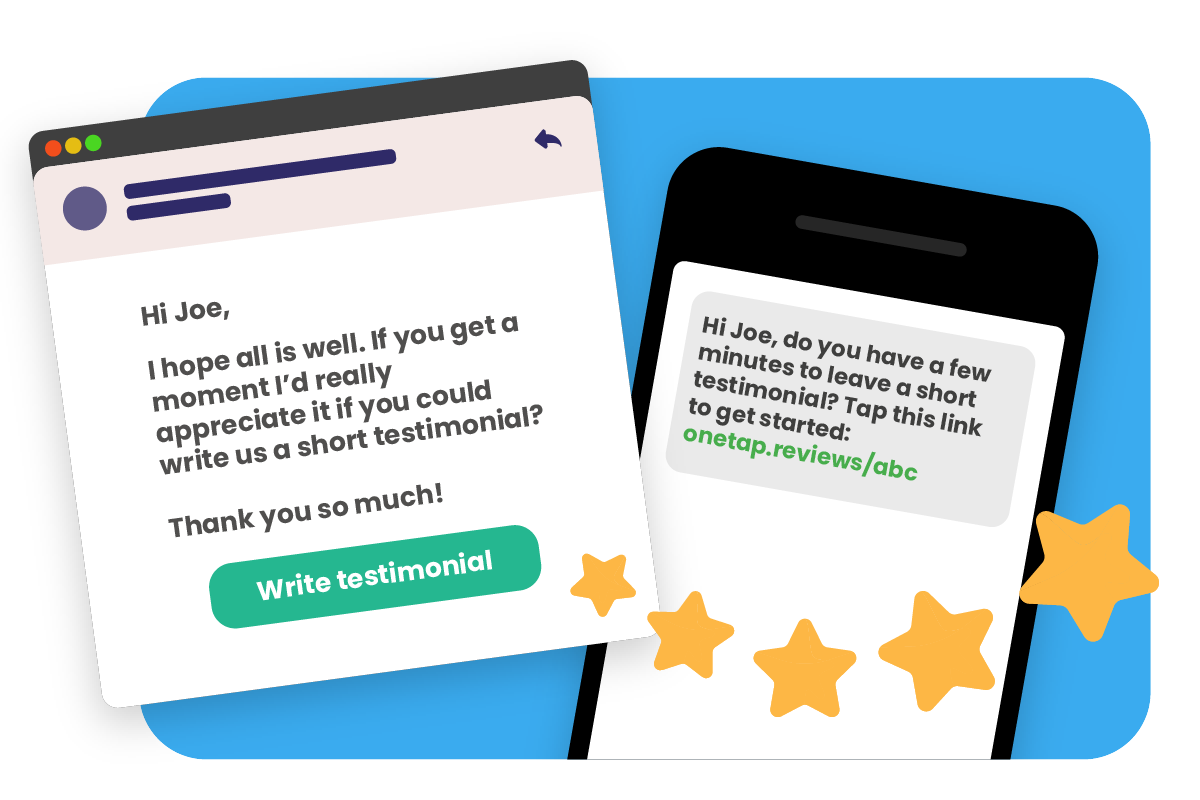
- Example Email Template:
- Subject: How was your dinner at [Your Restaurant Name]?
- Body: Hi [Customer Name], thank you so much for dining with us last night. We hope you had a wonderful experience. If you have a moment, we'd be grateful if you could share your feedback by leaving a review. It helps us improve and lets other diners know what to expect. [Direct Link to Leave a Review]
- Steps to Implement:
- Use a reservation system like TheFork Manager that has a built-in automated review request feature.
- Customise the email or SMS template to match your brand's tone of voice.
- Set the timing so the request is sent within 24 hours of the guest's visit while the experience is still fresh.
- Ensure the link in the message goes directly to the review submission page.
|
✨Our Pro Tip✨ |
|---|
|
Segment your requests. If your system allows, consider creating slightly different messages for first-time diners versus your regular, loyal customers to make the communication feel even more personal. |
4. Train Staff to Encourage Reviews Naturally
Your front-of-house team are the face of your brand, and their personal touch can be incredibly effective. This isn't about pressuring every guest, but empowering your staff to make a polite and genuine request when they've built a good rapport with a table.
- Sample Phrases for Staff:
- "It was a pleasure serving you tonight! If you enjoyed your experience, a review on Google would be a massive help to us."
- "We're a local business, and reviews really help us stand out. If you have a spare moment, we'd love it if you could share your thoughts online."
- Steps to Implement:
- Conduct a short training session with your team on the importance of reviews.
- Provide them with a "cheat-sheet" of simple, non-pushy phrases they can adapt.
- Incentivise the team by celebrating positive reviews that mention a staff member by name.
- Emphasise that the priority is always guest satisfaction, and the request should only be made if it feels appropriate.
|
✨Our Pro Tip✨ |
|---|
|
Turn it into a team goal. Instead of putting pressure on individuals, make generating reviews a collective goal. Share weekly progress and celebrate positive feedback as a team to foster a positive culture around it. |
5. Add Review CTAs on Your Website and Booking Confirmation Emails
Integrate review requests into your existing digital touchpoints.
Your website and confirmation emails are prime real estate that every booked customer will see. A subtle but clear Call-to-Action (CTA) in these places acts as a constant, gentle reminder.
- Example: A booking confirmation email could have a footer that says: "We can't wait to welcome you! After your visit, we'd love to hear about your experience. You can leave us a review on [Google] or [TheFork]."
- Steps to Implement:
- Add a "Review Us" button or link in the header or footer of your website.
- Include a short, polite sentence about leaving a review in the footer of your booking confirmation and reminder emails.
- Ensure the links go directly to your chosen review platforms.
- Use logos of the review sites (Google, TripAdvisor, etc.) to make the CTAs more visual and recognisable.
|
✨Our Pro Tip✨ |
|---|
|
Create a dedicated review page on your website. This page can feature a feed of your best existing reviews (social proof) and include direct links to all the platforms where customers can leave their own feedback. |
6. Create a “Review Us on Google/TheFork” Card
A small, professionally designed physical card is a tangible reminder that a customer can take with them.
It’s more personal than a QR code on a receipt and can be handed over by a staff member during a positive interaction, strengthening the personal connection.
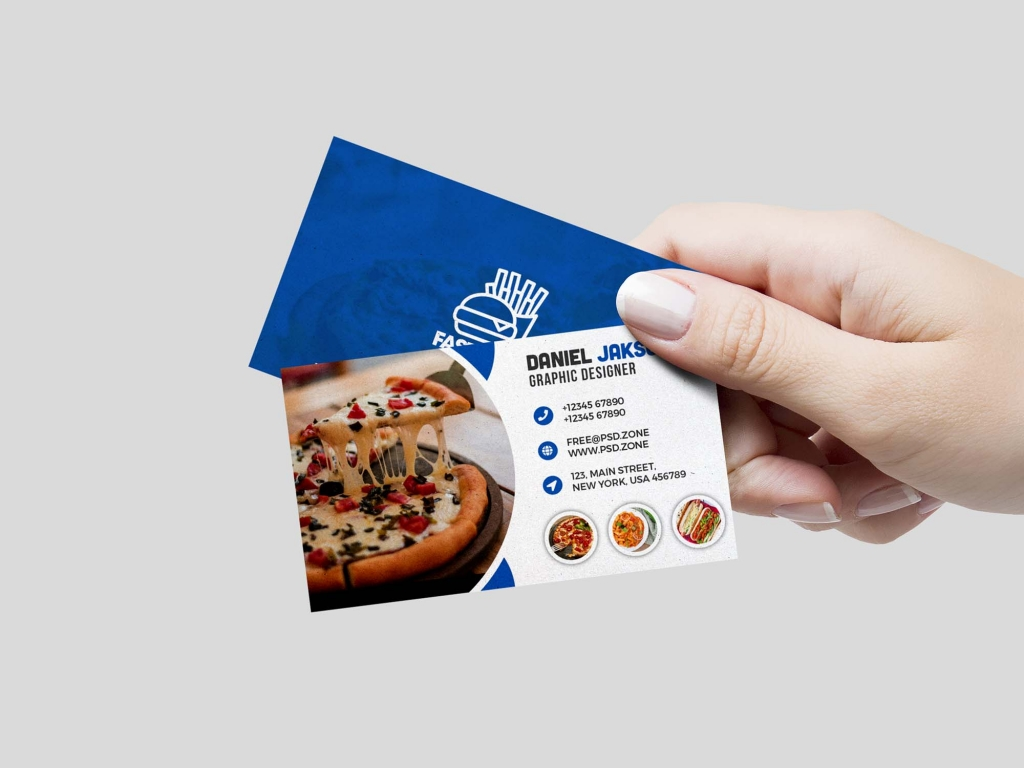
- Example: A business card-sized handout that says "Enjoyed your experience? Your feedback means the world to us." on the front, with QR codes linking to your Google and TheFork profiles on the back.
- Steps to Implement:
- Design a small, well-branded card (business card or A6 postcard size).
- Include a short, friendly message and clear instructions.
- Add QR codes that link directly to your review pages to make it easy for the customer.
- Train your staff to hand these out with the bill to happy customers.
|
✨Our Pro Tip✨ |
|---|
|
Include a photo of your team on the card. A picture of your smiling staff with a message like "Our team would love to hear from you!" makes the request feel much more human and less corporate. |
7. Reward Loyalty Programme Members for Feedback (Non-Incentivised)
Your most loyal customers are your biggest fans, but they often don't think to leave reviews. You can prompt them through your loyalty programme, but it's essential to do so carefully.
Never offer direct financial incentives (like cash or a free meal) for leaving a review, as this violates the terms of service of major platforms like Google and can lead to penalties.
- Example: An email to loyalty members could say: "As one of our valued members, your opinion matters most. Help our community grow by sharing your honest feedback on your latest visit."
- Steps to Implement:
- Integrate a feedback prompt into your loyalty app or email communications.
- Frame the request as "helping the community" or "sharing your expertise as a regular."
- You can offer a small reward, like 10 extra loyalty points, simply for providing feedback directly to you, not for posting a public review.
- Always link to your public review profiles as an optional extra step.
|
✨Our Pro Tip✨ |
|---|
|
Personalise the request. Use their name and reference their status as a loyal member. A message like, "Hi Sarah, as one of our VIPs, we'd love to know what you think..." is far more effective than a generic blast. |
8. Highlight Reviewer Photos or Stories on Social Media
When a customer leaves a great review, especially one with a fantastic photo, celebrate it! Sharing user-generated content (UGC) on your social media profiles is a powerful, indirect way to encourage more reviews.
It shows that you are listening and that you value customer feedback, and it subtly motivates others who want their own moment in the spotlight.
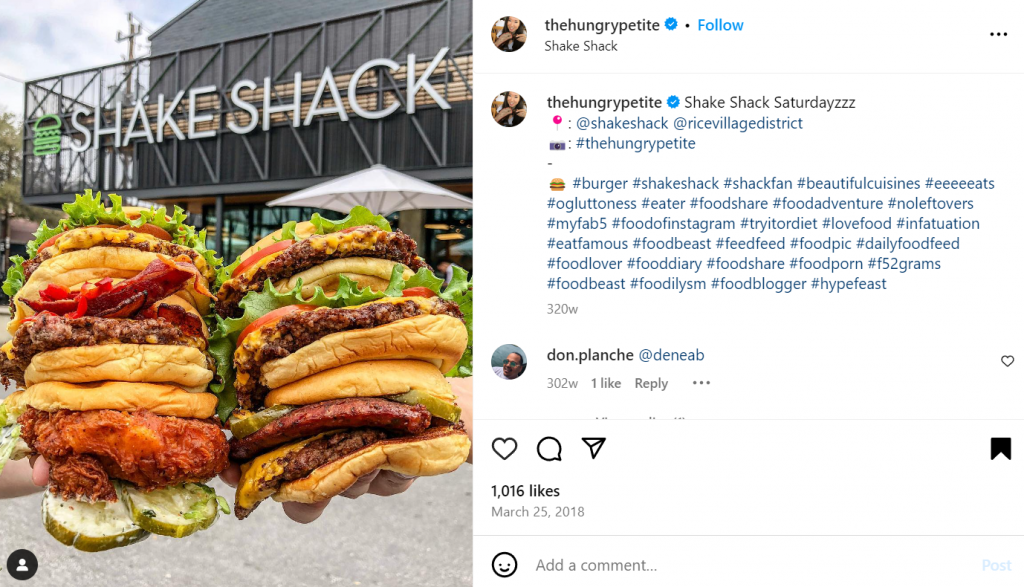
- Example: An Instagram post or story with a screenshot of a glowing 5-star review, with the text "Thank you, [Customer's Name]! We're so thrilled you enjoyed the risotto. Your photo is fantastic!"
- Steps to Implement:
- Monitor your reviews and social media tags for great photos and comments.
- Take a screenshot of the review or save the customer's photo.
- Share it on your Instagram or Facebook Stories, always tagging the original poster.
- Create a dedicated "Highlights" reel on your Instagram profile titled "Our Guests" or "Reviews" to showcase the best ones permanently.
|
✨Our Pro Tip✨ |
|---|
|
Launch a "Review of the Week" feature. Consistently sharing the best review every Friday, for example, creates anticipation and gamifies the process, encouraging more high-quality reviews. |
9. Respond Professionally to Existing Reviews to Drive More Reviews
This is a transition point. How you respond to existing reviews directly influences whether new customers will leave one.
When potential reviewers see that you are engaged, responsive, and professional, it signals that their feedback will be heard and valued, making them more likely to take the time to write a review themselves.
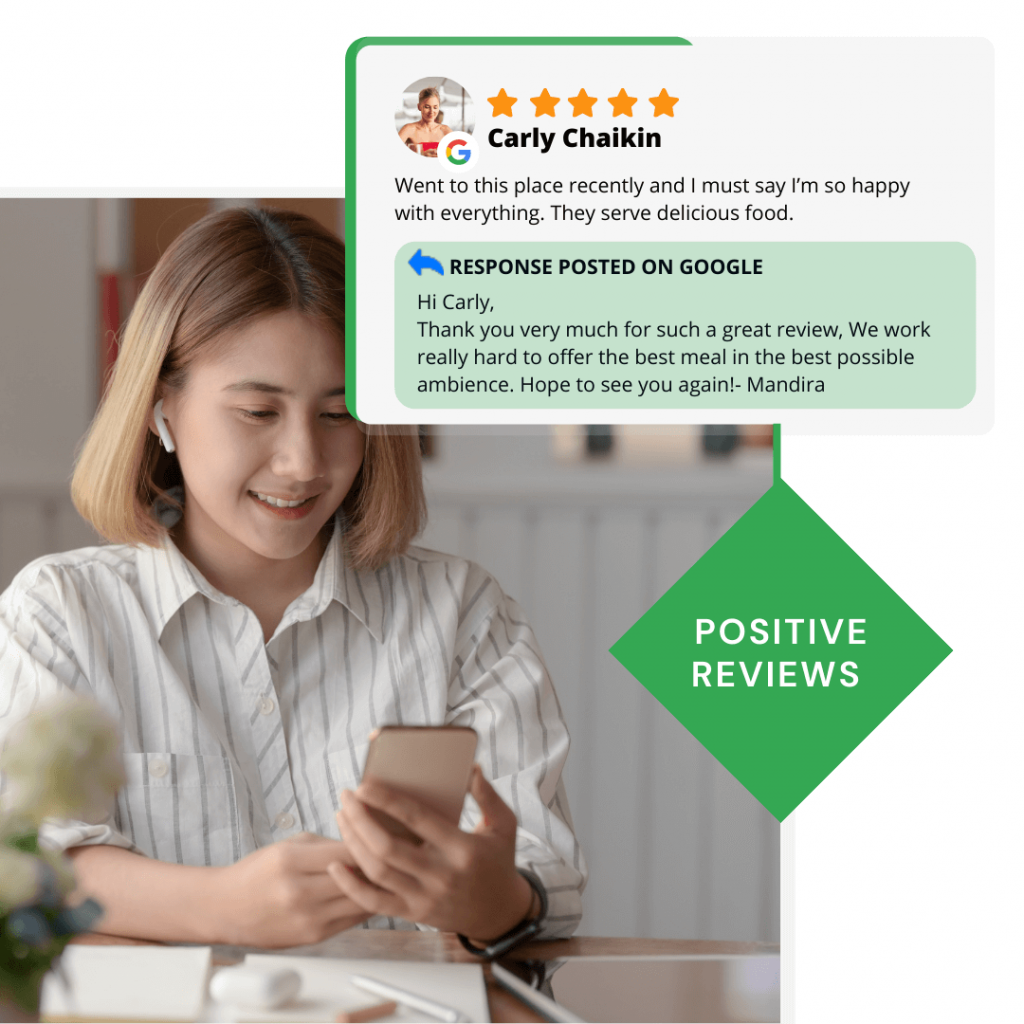
- Example: A potential customer sees a negative review, but then reads your polite and proactive response. This gives them the confidence that, even if something goes wrong, you are a business that cares and will handle it professionally.
- Steps to Implement:
- Dedicate a specific time slot each week to responding to all new reviews.
- Develop templates for both positive and negative responses (more on this below).
- Always be professional, polite, and never get into a public argument.
- See every response as a marketing opportunity to demonstrate your commitment to customer service.
|
✨Our Pro Tip✨ |
|---|
|
Vary your responses. Avoid using the exact same copy-and-paste response for every review. Mention a specific detail from their comment to show you've actually read it and that your reply is genuine. |
10. Use In-Venue Signage: “Loved Your Meal? Leave a Review!”
Simple, well-placed physical prompts in your restaurant can be highly effective.
Signage acts as a silent reminder at a time when the customer is already in your environment. It normalises the act of leaving a review and makes it part of the dining experience.
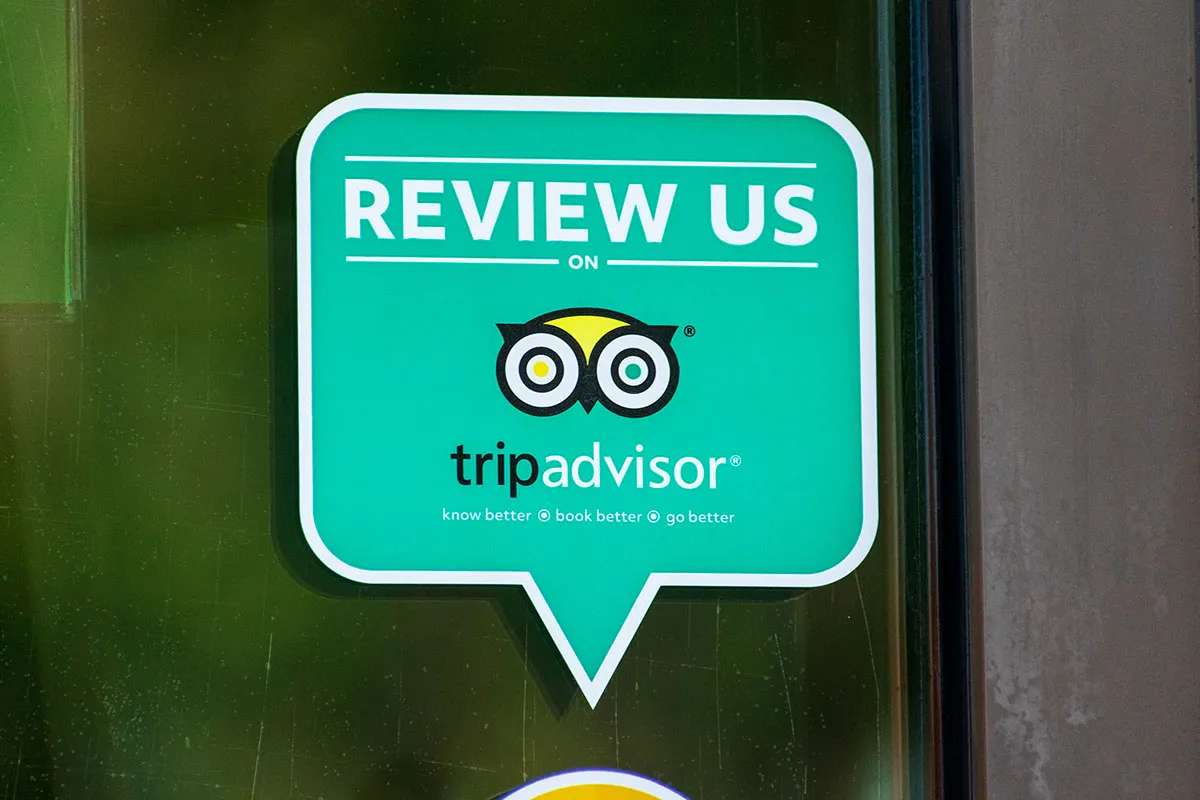
- Example: A small, elegant sign on the back of the toilet door, a sticker on the front window, or a message on a chalkboard by the exit.
- Steps to Implement:
- Design simple, on-brand signage with a clear and friendly message.
- Keep the text minimal: "Find us on TripAdvisor & Google" or "Your review makes our day!"
- Place the signs in high-traffic areas where customers will naturally see them (e.g., the entrance/exit, near the till, in the restrooms).
- Consider adding a QR code to the sign to make it instantly scannable.
|
✨Our Pro Tip✨ |
|---|
|
Match the sign to your brand's voice. A fine-dining restaurant might use a discreet, elegantly framed note, while a casual burger joint could use a fun, bold sticker. The style should feel authentic to your brand. |
11. Ask Regulars or VIP Customers Personally
Your regulars are your most powerful asset.
A personal, direct request from a manager or owner can be incredibly effective because it comes from a place of genuine relationship. These are the customers who already love what you do, and they are usually more than happy to support you.
- Script Example (from a manager): "Hi [Customer's Name], it's great to see you again. As you're one of our most valued regulars, I was wondering if you'd be willing to share what you love about us in a quick online review? It would be a huge help."
- Steps to Implement:
- Identify your most frequent and loyal customers.
- Empower your manager or owner to build a genuine rapport with them.
- Choose a quiet, appropriate moment to make a personal and sincere request.
- Explain why it's important (e.g., "it helps a small business like ours compete").
|
✨Our Pro Tip✨ |
|---|
|
Follow up with a thank you. If you know a regular has left a great review after you asked, acknowledge it and thank them personally on their next visit. This closes the loop and strengthens the relationship even further. |
12. Provide Outstanding Service Moments That Naturally Trigger Reviews
Sometimes, the best way to get a review is not to ask for it at all.
The most powerful, glowing reviews are often born from unexpected moments of exceptional service that go above and beyond a customer's expectations. These are the "wow" moments that naturally inspire someone to share their story.
- Examples of 'Wow' Moments:
- Overhearing that it's a guest's anniversary and bringing a complimentary glass of prosecco or a small dessert with a candle.
- Having the chef personally visit a table to discuss a dish with an enthusiastic foodie.
- A server going out of their way to accommodate a child's picky eating habits with a smile.
- Steps to Implement:
- Empower your staff to solve problems and delight guests on the spot, without needing a manager's approval for small gestures.
- Create a small "guest delight" budget that staff can use for things like a complimentary coffee or dessert.
- Celebrate and share stories of great service internally to inspire the whole team.
|
✨Our Pro Tip✨ |
|---|
|
Focus on the farewell. The final interaction is the one a guest remembers most. A warm, genuine goodbye and a thank you from the host or manager can be the small detail that turns a good experience into a great, review-worthy one. |
Try TheFork Manager today

How to Respond to Restaurant Reviews (Positive & Negative)
How to Respond to Positive Reviews
Responding to positive reviews shows that you are engaged and appreciate your customers. It also reinforces the positive points they made for other potential diners to see.
The 4 Steps to a Perfect Response:
👨🏻💻Thank the Customer by Name: Personalise the response.
🤝Reinforce the Positive: Specifically mention something they enjoyed (e.g., "We're so glad you loved the steak!").
🌟Add a Little Extra Value: Mention a future event or another dish they might like on their next visit.
🗂️Invite Them Back: End with a warm invitation to return.
Example of a Perfect Response: "Hi Sarah, thank you so much for the wonderful 5-star review! We're thrilled to hear you enjoyed the steak and the Malbec pairing. Next time you visit, you should try our Sunday roast! We look forward to welcoming you back again soon."
To ensure every response is effective, keep these simple do's and don'ts in mind.
Do:
✅Respond Quickly: Aim to reply within 24-48 hours. A prompt response shows you are attentive and genuinely appreciate their feedback while their positive experience is still fresh in their mind.
✅Be Specific and Personal: Always use the reviewer's name. Mention a specific detail from their review - like the dish they loved, a staff member they praised, or the occasion they were celebrating. This proves you’ve read their feedback carefully and makes your response feel authentic, not automated.
✅Use Keywords Naturally: If a customer praises your "amazing Sunday roast" or "dog-friendly terrace," include those keywords in your reply (e.g., "We're so glad you think we have the best Sunday roast in Manchester!"). This reinforces positive signals to Google and helps other potential customers see what you're known for.
Don't:
🚨Use the Same Generic Response for Everyone: Avoid copy-pasting "Thank you for your review, we appreciate your feedback" for every comment. This feels robotic and devalues the effort the customer put into writing a thoughtful review. Vary your phrasing to keep your responses fresh and sincere.
🚨Make It All About You: The focus of the response should be on the customer's great experience, not on your restaurant's achievements. Instead of saying, "We work hard to maintain our high standards," try, "We're so happy that you felt our team took great care of you." It's about acknowledging them, not boasting about yourself.
🚨Positive Reviews: Ignoring positive feedback is a huge missed opportunity. Every positive review is a chance to publicly reinforce your brand's commitment to quality, thank a happy customer (strengthening loyalty), and show potential new diners that you are an engaged and caring business.
How to Respond to Negative Reviews
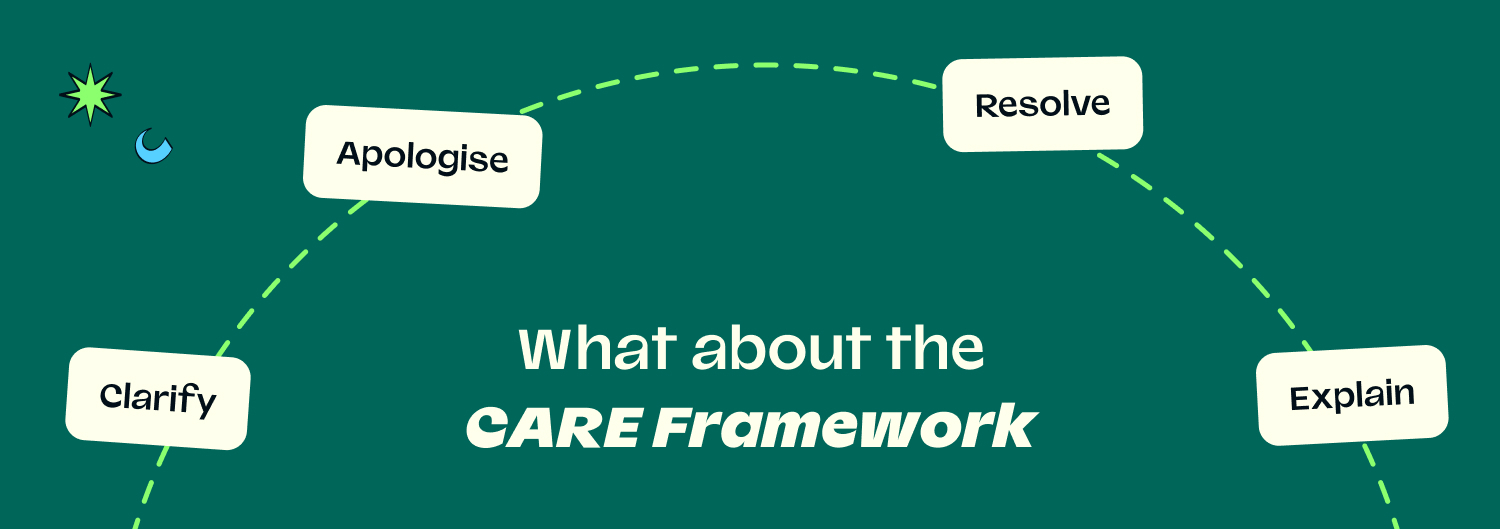
A negative review is not a disaster; it's an opportunity to demonstrate your professionalism and win back a customer. A calm, structured, and public response can turn a negative situation into a positive one for your brand's reputation: this is the main aim of the CARE Framework.
The CARE Framework:
🟢Clarify: If the review is vague, invite the customer to provide more details offline so you can fully understand the issue.
🟢Apologise: Offer a sincere and specific apology for the part of their experience that fell short. Avoid excuses.
🟢Resolve: Propose a concrete solution to make things right, such as an invitation to return for a better experience or a direct follow-up from a manager.
🟢Explain (Internally): Use the feedback to understand what went wrong internally and explain to your team how you will prevent it from happening again.
Example Template Response: "Hi [Customer Name], thank you for taking the time to leave your feedback. We are sincerely sorry to hear that your experience did not meet our standards. The [specific issue they mentioned] is not the level of service we aim to provide. We would appreciate the opportunity to discuss this further with you. Could you please contact us at [email address] so we can resolve this for you? We hope to have the chance to welcome you back for a much-improved experience."
🔥For very serious complaints, always aim to take the conversation offline as quickly as possible. The public response should be a brief, professional apology with a clear invitation to connect privately via email or phone.
How Response Quality Impacts Your Rating
Responding to reviews, especially negative ones, directly impacts your SEO and your overall rating.
Google's algorithm sees that you are an active and engaged business owner, which can boost your visibility in local search rankings. Furthermore, data from review platforms shows that businesses that respond to feedback often see an improvement in their overall star rating over time, as customers feel more valued and are more willing to give the business a second chance.
Review Platforms That Matter Most for Restaurants
- Google Reviews: The most important platform. Your Google rating is highly visible in search results and on Google Maps, making it a critical factor in customer decision-making.
- TheFork: A huge advantage of reviews on TheFork is that they are from verified diners who have honoured their booking, making them highly trustworthy.
- TripAdvisor: Still a major player, especially for restaurants in tourist-heavy locations. It is often the first port of call for visitors looking for recommendations.
- Facebook: Reviews on your Facebook page contribute to your overall social proof and are easily seen by your followers and their friends.
Why Restaurants Use TheFork Manager to Increase Reviews
TheFork Manager is designed not just to take bookings, but to actively help you build a strong online reputation through a powerful, automated review ecosystem.
- Automatic Post-Booking Review Requests: The system automatically sends a customised email to every diner after their meal, inviting them to leave a review. This ensures a consistent flow of fresh feedback without any manual effort from your team.
- High Visibility in TheFork App: All reviews are published on your restaurant's page on TheFork, which is seen by millions of diners actively looking to book. Because all reviews are from verified bookings, they carry a high level of trust.
- AI-Assisted Review Analysis: TheFork Manager includes tools that use AI to analyse the semantic content of your reviews, giving you at-a-glance insights into what your customers are consistently praising (e.g., "service," "atmosphere") and where there might be room for improvement.
- Dashboard with Metrics: A central dashboard allows you to monitor your average rating, track the number of new reviews, and respond to all feedback from one convenient place.
FAQ: Getting & Responding to Restaurant Reviews
How Can Restaurants Get More Reviews?
The most effective ways are to ask happy customers at the end of their meal, use QR codes on tables and receipts, and send automated post-visit emails or SMS messages.
What Is the Most Effective Way to Ask Customers for Reviews?
The most effective way is a combination of a polite, in-person request from a staff member at the right moment, made incredibly easy by providing a QR code or a link via an automated email.
How Can Restaurants Encourage Reviews Without Offering Incentives?
Focus on making the process easy (with QR codes), making the request personal, and showing that you value feedback by responding to existing reviews and sharing positive comments on social media.
What Platforms Should Restaurants Focus On for Reviews?
For UK restaurants, the top priorities should be Google Reviews (for its impact on local SEO), TheFork (for its verified and high-intent diner base), and TripAdvisor (especially in tourist areas).
How Do You Respond to a Positive Restaurant Review?
Thank the customer by name, mention something specific they enjoyed, add a small piece of extra information (like an upcoming event), and invite them back.
How Do You Respond to a Negative Restaurant Review?
Use the CARE framework: Clarify the issue offline, Apologise sincerely, offer to Resolve the problem, and use the feedback to Explain and improve internally. Always stay professional and never argue publicly.
How Do Reviews Affect Restaurant Rankings on Google?
The quantity, quality (star rating), and recency of your reviews are all major ranking factors for Google's local search algorithm. Responding to reviews also signals to Google that you are an active and reputable business.
Should Staff Ask Customers for Reviews Directly?
Yes, but it should be done naturally and without pressure. Staff should be trained to ask when a customer has clearly had a positive experience, framing it as a small favour that helps the business.
Is It Okay to Automate Review Requests?
Yes, it is one of the most effective and professional strategies. An automated email or SMS is a non-intrusive and highly efficient way to ask every single diner for their valuable feedback.
How Can TheFork Manager Help Restaurants Generate Reviews?
TheFork Manager helps by automatically sending a review request email to every diner who books and dines, ensuring a steady stream of verified reviews. It then provides the tools to manage, respond to, and analyse this feedback from a central dashboard.